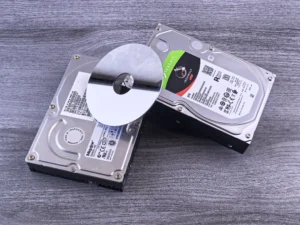

New phones, laptops and gadgets mean old ones get pushed aside, and almost all of them have a lithium-ion battery inside. Those batteries start fires in garbage trucks and recycling plants, so never put old electronics or batteries in the trash or the curbside bin. Back up and wipe the device, keep it cool and dry, tape the ends of loose batteries, and take everything to an electronics recycler.
- Find the batteries
- Store them safely
- Wipe your data
- Recycle, never trash
On this page
Why holiday e-waste is a bigger problem than it looks
November and December are when most households and offices replace their tech. Black Friday deals, holiday gifts and year-end budgets all bring new phones, laptops, tablets, headphones and smart devices through the door. The old ones end up in a drawer, a garage box or, too often, the kitchen trash.
The problem is not only the plastic and metal. It is the battery. Nearly every portable device sold today runs on a lithium-ion battery, and many of them, like those in phones, earbuds and smartwatches, are sealed inside where you cannot see them. When a device with a damaged battery gets crushed in a garbage truck or a sorting machine, it can catch fire.
Battery safety is also a 2026 policy topic. Four states (Wisconsin, Maine, Oregon and Kentucky) signed battery recycling laws this spring, and 18 battery bills were introduced in 15 states. Texas is not among the states with a battery takeback law, so here it is up to each home and business to send old devices to the right place.
Lithium battery fires by the numbers
- 5,000+fires a year at waste and recycling facilities, mostly blamed on lithium batteries
- 448publicly reported fires at U.S. and Canadian recycling and waste sites in 2025
- $2.5Bestimated damage from those facility fires in 2025
- 5.48lithium-ion batteries per hour found on one California recycling sort line
Sources: Product Stewardship Institute and Resource Recycling Systems figures reported by Resource Recycling (October 2026); Fire Rover 2025 report via Resource Recycling (March 2026).
The U.S. EPA has warned for years that lithium-ion batteries should not go in household trash or municipal recycling bins, because "even used batteries can have enough energy to injure or start fires." Its own review counted 245 battery-related fires at 64 waste facilities between 2013 and 2020, and said the real number is likely much higher because many fires are never reported.
Crushed, punctured, sparked
Garbage trucks compact their loads. A damaged lithium battery can overheat in seconds, and the fire spreads to everything around it, in the truck, at the transfer station or at the landfill.
Handled as electronics
- Collected separately from household trash
- Sorted by people who expect batteries
- Metals and parts go back into use
- Data-bearing devices can be destroyed
Which old devices have lithium batteries inside?
More than most people think. If a device charges from a cable or a dock, assume it has a lithium battery. Here is what usually turns up after the holidays, and what to do with it in Dallas–Fort Worth.
| Device | Battery | What to do |
|---|---|---|
| Phones and tablets | Sealed inside | Recycle the whole device Do not try to remove the battery. |
| Laptops and Chromebooks | Built in on most models | Recycle the whole device Wipe the drive first. |
| Smartwatches, earbuds, fitness trackers | Tiny, sealed | Recycle with your other electronics Small does not mean safe. |
| Game controllers, speakers, e-readers | Built in | Recycle the whole device |
| UPS battery backups (offices) | Large, sealed battery | Recycle with your IT equipment Mention them when you book. |
| Power banks and loose batteries | Exposed terminals | Call before you bring them Tape the ends and bag each one. |
| Swollen, leaking or damaged batteries | Highest fire risk | Call first Keep them away from anything that burns. |
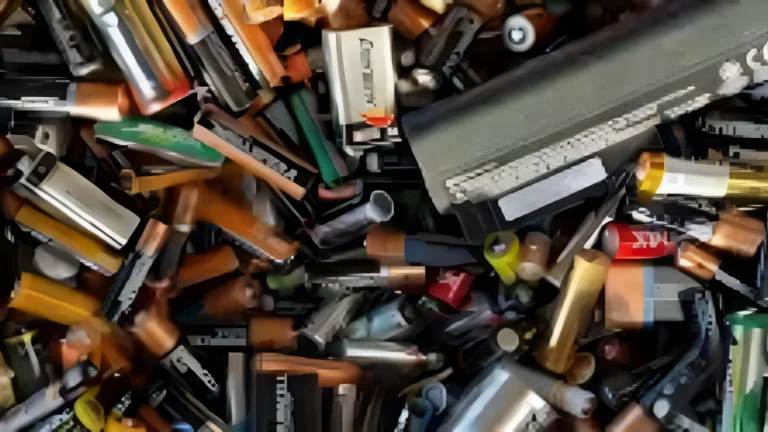
How to prepare old devices and batteries for recycling
A few minutes of preparation makes the trip safer and protects your personal data. These steps follow the U.S. EPA's guidance on used lithium-ion batteries.
- Gather everything in one place: old phones, tablets, laptops, chargers, cables, smart devices and any loose batteries.
- Back up what you want to keep: photos, contacts and files go to your new device or to cloud storage.
- Sign out and turn off device locks such as Find My or Google account protection, so the device is no longer linked to you.
- Erase your data with a factory reset on phones and tablets. For computers that held financial or work files, plan a proper wipe or drive destruction.
- Leave built-in batteries where they are. Prying out a sealed battery can puncture it.
- Tape and bag loose batteries. Put non-conductive tape over the terminals and place each battery in its own plastic bag.
- Store everything cool and dry until drop-off: not in a hot car, not in direct sun, and not piled loose in a metal box.
Our guides on how to prepare electronics for recycling and protecting your data when you recycle computers go into more detail.
Swollen battery? If a phone or laptop case is bulging, stop charging it, do not press on it or try to remove the battery, and set it on a non-flammable surface away from anything that burns. Call us at (945) 220-1585 before bringing it in.
For businesses: the year-end tech refresh
Offices tend to spend what is left of the budget in November and December. New laptops, phones and tablets arrive, and the old ones go into a storage room. That room becomes a fire and data risk: dozens of devices with aging batteries and old data, sitting together in one place.
- Step 1
Count
List the laptops, phones, tablets and UPS units being replaced.
- Step 2
Clean
Back up, sign out, release licenses and remove devices from management.
- Step 3
Secure
Decide which drives get wiped and which get destroyed.
- Step 4
Collect
Book one pickup instead of letting old devices pile up.
Retiring older Windows 10 PCs at the same time? See our post on what to do with old Windows 10 computers. Planning to collect devices from staff too? Our guide to hosting an e-waste drive walks through it, and Texas e-waste laws for businesses covers the rules on records and batteries.
Common mistakes with old electronics and batteries
Throwing small gadgets in the trash
Earbuds, vapes, smartwatches and toys all have lithium batteries. Their size makes them easy to miss and just as able to start a fire.
Putting batteries in the curbside recycling bin
The blue bin is for paper, cans and bottles. Batteries in it end up on the same sorting lines where facility fires start.
Storing loose batteries together
Batteries touching each other or metal objects in a drawer can short and heat up. Tape the terminals and bag them separately.
Keeping a swollen device "just in case"
A bulging battery will not get better. Stop using it and arrange safe recycling.
Forgetting the data
An old phone or laptop still holds photos, passwords and email. Sign out, erase it, and plan drive destruction for business computers before they leave your hands.
Holiday e-waste checklist
Before old devices leave your home or officeNothing with a battery goes in the trash or the recycling bin.
Clearing out old electronics in Dallas–Fort Worth?
CompletePC-World provides computer electronics recycling for businesses, from computer and laptop recycling to networking and telecom equipment, with free pickup from offices in Dallas, Fort Worth, Plano, Garland, Richardson, Frisco and across DFW.
Pickup is for businesses only. Residents can use our Saturday drop-off in Garland, 10 AM–4 PM. Office hours are Monday–Friday 9 AM–5 PM.
- Find every battery
- Store it cool and dry
- Wipe your data
- Recycle, never trash
Frequently asked questions
Can I throw old electronics or lithium batteries in the trash?
No. The U.S. EPA says lithium-ion batteries and devices that contain them should not go in household trash or curbside recycling bins, because they can start fires in garbage trucks and recycling facilities. Take them to an electronics recycler or a battery collection program instead.
Should I take the battery out of my old phone or laptop before recycling it?
No. Most phones, tablets and many laptops have sealed batteries, and prying them out can puncture the battery. Recycle the whole device with the battery inside.
How should I store old batteries until I can recycle them?
Cover the terminals with non-conductive tape such as electrical tape, put each battery in its own plastic bag, and keep them somewhere cool and dry, away from metal objects and anything flammable.
What should I do with a swollen battery?
Stop charging and using the device, do not press on it or try to remove the battery, and place it on a non-flammable surface. Call your recycler before bringing it in so it can be handled safely.
Do I need to erase my old phone before recycling it?
Yes. Back up what you want to keep, sign out of your accounts, turn off device locks such as Find My, and do a factory reset. For business computers that held customer or financial records, plan a proper wipe or physical drive destruction.
Do you pick up old electronics from homes in Dallas–Fort Worth?
No. Pickup is for businesses only. Residents can drop off old electronics at our Garland warehouse on Saturdays, 10 AM to 4 PM.