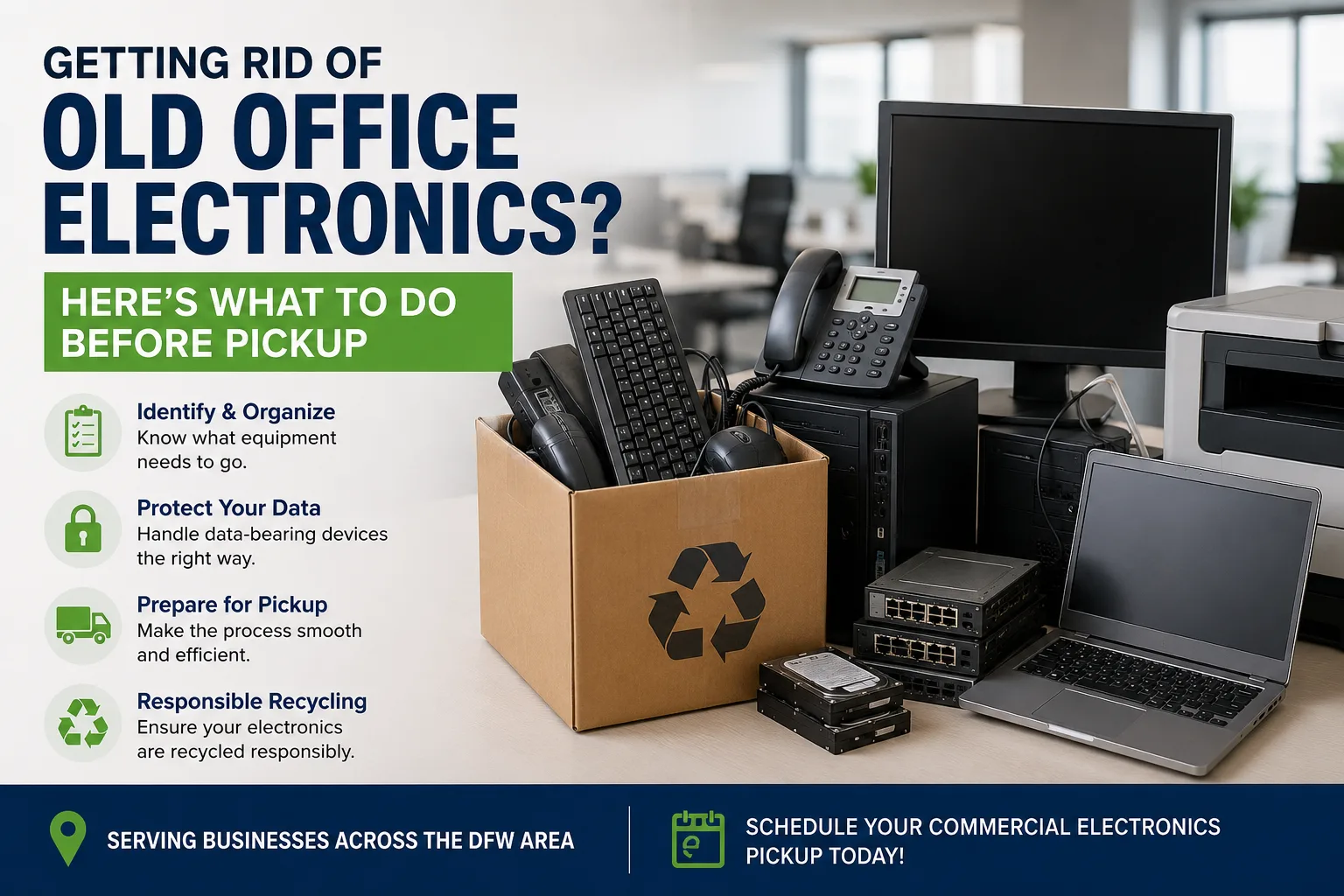
Getting Rid of Old Office Electronics? Here’s What to Do Before Pickup
If your office has a storage room, IT closet, or warehouse corner filled with retired computers, monitors, servers, or networking equipment, the hardest part may not be finding a recycler. It may be figuring out what needs to happen before the equipment leaves your building.
For DFW businesses, preparing electronics properly can make pickup easier, reduce unnecessary handling, and help protect business information stored on old devices.
Here’s a practical checklist to follow before your commercial electronics recycling pickup.
Schedule a Business Electronics Pickup → Contact Complete PC World
1. Identify the Electronics Your Business Needs to Remove
Start by gathering the equipment that is ready for retirement.
Common business electronics include:
Desktop computers and workstations
Laptops
Servers
Monitors and displays
Networking equipment
Printers and office electronics
Hard drives and other storage devices
Cables, chargers, and power equipment
You don’t need to create a complicated inventory. A basic list of what you have and approximately how much is usually a good starting point.
If equipment is still being used, keep it separate from items that are ready for recycling.
2. Separate Equipment That May Contain Business Data
Old electronics can contain more information than businesses realize.
Computers, laptops, servers, hard drives, SSDs, and other storage devices may still contain company files, employee information, customer records, credentials, or other sensitive data.
Before the equipment leaves your facility, determine which devices contain stored information and whether they require data sanitization or secure destruction.
Don’t assume that a device is safe simply because:
It no longer turns on
The computer was reset
The files were deleted
The device is several years old
If your organization has specific data-retention or security requirements, follow those requirements before recycling the equipment.
3. Keep Data-Bearing Equipment Clearly Identified
Once you’ve identified computers, servers, drives, or other devices containing business data, keep them together or clearly mark them for the appropriate handling process.
This is especially useful during:
Office technology upgrades
Employee computer replacements
Server room cleanouts
Office relocations
Company closures
Large IT equipment refreshes
A simple inventory can help your IT or facilities team know which equipment requires additional attention before recycling.
4. Separate Unusual Equipment Before Pickup
Not every electrical or electronic item automatically belongs in a standard electronics recycling load.
Before scheduling pickup, identify equipment that may require special handling, such as items containing batteries, unusual components, or materials outside your recycler’s normal processing scope.
If you’re unsure about an item, don’t guess.
Give the recycler the equipment type and approximate quantity before pickup. It’s much easier to confirm how an item should be handled before it is loaded than after it arrives at a processing facility.
5. Estimate How Much Equipment You Have
You don’t need to count every cable before contacting a commercial recycler, but having a reasonable estimate helps.
For example:
25 desktop computers
18 monitors
6 laptops
2 servers
1 pallet of networking equipment
This gives the recycling provider a better understanding of the size and type of pickup.
It can also help determine whether the equipment should be collected as a small office pickup, a larger technology cleanout, or part of a broader IT asset retirement project.
6. Decide What Needs to Happen to the Data
This is one of the most important steps before retiring business technology.
There are two separate questions:
What happens to the equipment?
and
What happens to the information stored on it?
Recycling the hardware does not automatically address the data stored on a hard drive or SSD.
Depending on your organization’s requirements and the equipment involved, you may need a documented data sanitization or destruction process before the device moves into the recycling stream.
For businesses handling sensitive information, involve the appropriate IT, security, or compliance personnel before the pickup.
For more technical guidance on media sanitization, organizations can also refer to the NIST SP 800-88 guidelines.
7. Make the Equipment Accessible for Pickup
Once the electronics are ready, make the collection process easy for everyone involved.
Before pickup:
Consolidate equipment where practical
Keep access routes clear
Let facilities or building management know about the pickup
Identify where the equipment is located
Make sure loading access is available
Keep employees informed if equipment is being removed from shared areas
This is particularly important for larger office cleanouts where electronics may be spread across multiple rooms or floors.
You don’t want your IT team spending half a day searching for equipment after the pickup crew arrives.
8. Give the Recycler the Right Information
When requesting commercial electronics recycling pickup, provide enough information for the provider to understand the job.
A useful request should include:
Business location
Where will the equipment be collected?
Equipment types
Computers, monitors, servers, networking equipment, etc.
Approximate quantity
A rough count or number of pallets is helpful.
Data-bearing equipment
Identify computers, drives, servers, or other equipment that may contain sensitive information.
Access information
Let the provider know about loading docks, stairs, elevators, security procedures, or other access considerations.
Preferred timing
Mention any restrictions around business hours, building access, or scheduled moves.
The more accurate the information, the easier it is to plan an appropriate pickup.
9. What Happens After the Equipment Is Picked Up?
Once retired electronics leave your facility, they should not simply become another load of general waste.
Business electronics can contain valuable materials and components that can be recovered through appropriate recycling processes.
Depending on the equipment and the service arranged, collected electronics may be sorted by type and condition before being directed through appropriate recycling and recovery channels.
Data-bearing equipment may also receive the agreed-upon data destruction or sanitization treatment before continuing through the recycling process.
The exact downstream process depends on the equipment and the recycling program handling it.
Business Electronics Pickup: A Simple Pre-Pickup Checklist
Before your recycler arrives, make sure you’ve covered these basics:
| Before Pickup | Done |
|---|---|
| Identify equipment ready for retirement | ☐ |
| Separate equipment that is still in use | ☐ |
| Identify computers, servers, and storage devices containing data | ☐ |
| Determine required data sanitization or destruction | ☐ |
| Separate unusual equipment that may require special handling | ☐ |
| Estimate equipment quantities | ☐ |
| Consolidate equipment where practical | ☐ |
| Clear access to the pickup area | ☐ |
| Provide equipment details to the recycler | ☐ |
| Confirm pickup timing and access requirements | ☐ |
Need Help Clearing Out Old Office Electronics?
If your DFW business has retired computers, monitors, servers, networking equipment, or other electronics taking up valuable space, Complete PC World provides commercial electronics recycling pickup for businesses across the area.
Tell us what equipment you have and where it is located, and we can help determine the appropriate next step for your pickup.
Schedule a Business Electronics Pickup → Contact Complete PC World