
What Should MSPs Do With Old IT Equipment From a Client?
When a client replaces computers, servers, or networking equipment, an MSP should not simply store the old hardware or send everything straight to recycling. The better approach is to inventory the equipment, identify data-bearing devices, assess reuse or recovery value, and then arrange the right next step for each asset.
This keeps the client’s equipment organized and helps the MSP avoid becoming a long-term storage facility.
What Counts as Old IT Equipment?
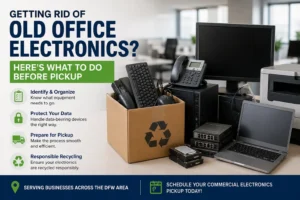
Old IT equipment can include:
- Desktop computers and laptops
- Servers
- Network switches and routers
- Storage devices
- Monitors
- Printers and other office hardware
Equipment becomes “old” for a client when it is no longer needed for current operations. That does not always mean it has reached the end of its useful life.
Why Does Client Equipment Become an MSP Problem?
Technology upgrades can leave an MSP responsible for dozens of retired devices at once.
The client may expect the MSP to help remove the equipment, but the MSP may not have enough storage space or staff to manage it. Keeping hardware in a van, office, or storage room also makes it harder to track which equipment belongs to which client.
A planned retirement process avoids that problem.
What Should an MSP Do Before Removing Old Client Equipment?
Start with a simple inventory.
Record the:
- Equipment type
- Quantity
- Serial or asset number
- Condition
- Client ownership
- Data-bearing status
Then separate equipment that may still be useful from hardware that has reached the end of its practical life.
This makes the next decision much easier.
Can Old Client Equipment Still Have Value?
Yes. Not every retired device should immediately be treated as scrap.
Working computers, servers, networking equipment, and other hardware may have reuse or resale potential depending on their condition and specifications.
This is where IT asset recovery can become useful. Equipment with remaining value can be evaluated for reuse, resale, or other recovery options before recycling is considered.
A simple decision path is:
Reuse → Recover value → Recycle
The right choice depends on the condition and type of equipment.
What About Data on Retired Client Equipment?
Data-bearing equipment needs special attention before it leaves the client’s control.
This can include:
- Hard drives
- SSDs
- Servers
- Storage arrays
- Certain multifunction office devices
An MSP should identify these devices during the inventory stage and confirm what data-sanitization or destruction process is required.
For a recognized framework for media sanitization, MSPs can refer to NIST SP 800-88 Rev. 2.
The key point is simple: do not treat a device containing business data like ordinary scrap.
Should an MSP Store Old Client Equipment?
Usually, long-term storage is not the best solution.
Old hardware takes up valuable space, can become difficult to track, and may lose recovery value as it sits unused. When several clients are involved, equipment can also become mixed together.
If a client has a large technology refresh, arranging collection directly from the client’s location can be much more practical than bringing everything back to the MSP’s office.
What Should an MSP Expect From a Pickup Partner?
A good equipment pickup process should be straightforward:
Inventory → Collection → Processing → Recovery or Recycling → Documentation
For larger client projects, the MSP should be able to keep track of what was collected and what happened to the equipment afterward.
This is especially useful when the client needs documentation for internal records, asset management, or compliance requirements.
A Simple Client Equipment Retirement Workflow
An MSP can use this process for most hardware refresh projects:
- Identify the equipment being retired.
- Inventory each asset.
- Separate reusable and end-of-life equipment.
- Identify data-bearing devices.
- Assess potential recovery value.
- Schedule collection from the client site.
- Process the equipment through the appropriate channel.
- Document the final disposition.
The MSP stays focused on supporting the client’s technology, while the retired hardware is handled through an organized process.
When Should an MSP Use a Third-Party Partner?
A third-party equipment partner can make sense when a client has a large hardware refresh, multiple locations, limited storage space, or a significant amount of equipment that needs to be removed.
Instead of turning the MSP’s office into a temporary warehouse, the equipment can be collected from the client and moved into the appropriate recovery or recycling process.
For DFW businesses, Complete PC World provides business equipment pickup and electronics recycling services, making it possible for MSPs to focus on their client relationships while the physical equipment retirement is handled separately.
Frequently Asked Questions
What should an MSP do with old client computers?
Inventory them first, identify data-bearing devices, assess reuse or recovery potential, and then arrange the appropriate collection or recycling process.
Can retired client IT equipment still have value?
Yes. Working equipment may have reuse or recovery value depending on its condition, age, and specifications.
Should an MSP store old client equipment?
Short-term storage may sometimes be necessary, but long-term storage can create space, tracking, and security problems.
What should an MSP document when equipment is retired?
Keep relevant asset details, collection records, and final disposition or data-destruction documentation where applicable.