What Should Businesses Do With Surplus IT Equipment After an Upgrade?
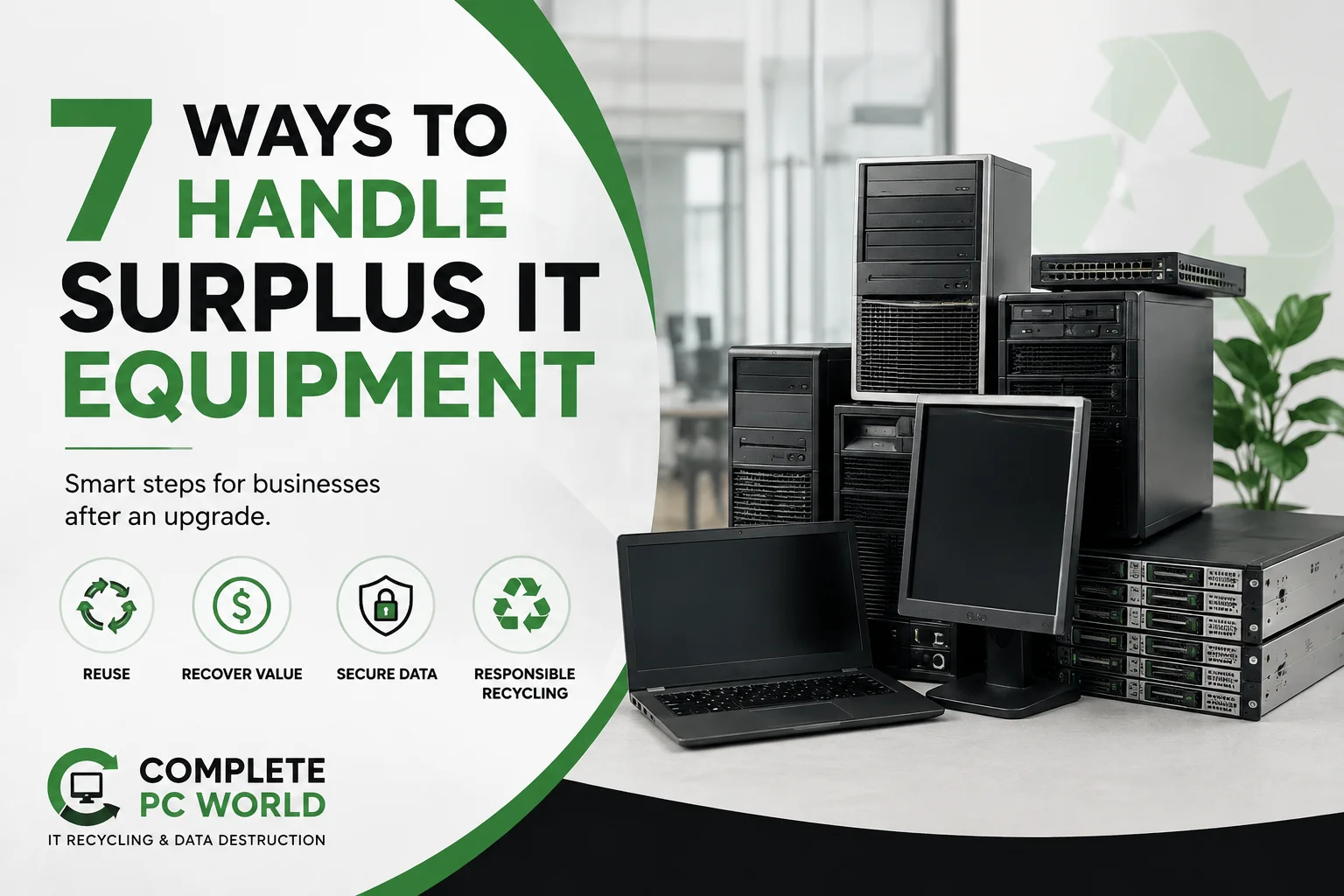
When a business upgrades its computers, servers, or networking equipment, the old hardware should not automatically go to recycling. Some equipment can be reused. Some may still have recoverable value. Other devices may need secure data handling before they leave the business.
The best approach is to assess the equipment first, then choose the right next step: reuse, recover value, secure disposition, or recycling. This helps businesses clear space without losing useful assets or overlooking data-security requirements.
What Counts as Surplus IT Equipment?
Surplus IT equipment is hardware that a business no longer needs for its current operations but may still be usable or valuable.
It can include:
- Desktop computers
- Laptops
- Servers
- Monitors
- Network switches
- Routers
- Storage equipment
- Printers and peripherals
- Cables, power supplies, and accessories
A device does not become worthless just because your company replaced it. Equipment that no longer fits one business’s needs may still have a useful second life elsewhere.
Don’t Treat Every Retired Device the Same
The first step after an IT upgrade is to separate equipment by condition, value, and data risk.
Equipment That Can Still Be Reused
Some computers and other hardware may still perform well enough for another department, location, or less demanding role.
Before replacing a device completely, consider whether it can be:
- Reassigned to another employee
- Used as a backup device
- Refurbished
- Upgraded
- Kept as spare equipment
Reuse can extend the useful life of equipment and reduce the need to purchase replacement hardware.
The EPA also recommends considering reuse or repair when practical before recycling electronics.
Equipment That May Have Resale Value
Working equipment can sometimes retain value after an office technology refresh.
Laptops, desktops, servers, switches, and other business hardware may be suitable for resale or asset recovery if they are in usable condition.
The important point is to evaluate the equipment before classifying it as waste.
If everything is sent straight to recycling, a business may lose the opportunity to recover value from hardware that still has a useful market.
Equipment That Should Be Recycled
Some equipment has reached the end of its practical life.
This can include hardware that is:
- Broken
- Obsolete
- Too expensive to repair
- Missing critical components
- No longer suitable for business use
When reuse or recovery is not practical, responsible recycling is the appropriate next step. The EPA notes that when reuse or repair is not viable, used electronics can be sent for recycling.
Equipment That Requires Special Data Handling
Data-bearing equipment needs additional attention.
A retired computer, server, SSD, or hard drive can still contain sensitive business information even when the device is no longer connected to the company’s network.
Before the equipment changes hands, determine what data-handling process is required.
That decision should happen before the equipment leaves the business, not after it reaches a recycler or buyer.
What Should You Check Before Removing Old Equipment?
A little preparation can make an office technology refresh much easier.
Create a Simple Equipment Inventory
Start with a basic list of the equipment being retired.
Record information such as:
- Equipment type
- Quantity
- Asset or serial number
- Condition
- Current location
- Data-bearing components
- Intended disposition
The inventory does not need to be complicated.
The goal is to know exactly what is leaving the business.
Separate Working Equipment From End-of-Life Equipment
Do not put working laptops, broken monitors, old servers, and miscellaneous accessories into one large pile.
Create separate groups.
For example:
Group 1: Working and reusable
Group 2: Potentially recoverable
Group 3: End-of-life
Group 4: Equipment requiring secure data handling
This makes the next decision much easier.
Identify Equipment That May Still Have Recoverable Value
An office upgrade does not necessarily mean every old device has zero value.
Consider the age, condition, specifications, and market demand before making a final decision.
A device that is no longer suitable for your business may still be useful to another organization.
How Should Businesses Handle Equipment During an Office Upgrade?
The easiest time to plan for retired equipment is before the new equipment arrives.
Do not wait until employees are already unpacking new computers and the old equipment is stacked in hallways or storage rooms.
Instead:
- Identify the equipment being replaced.
- Create an inventory.
- Separate reusable and end-of-life assets.
- Identify data-bearing equipment.
- Decide which assets may retain value.
- Schedule removal.
- Keep the outgoing equipment organized until collection.
This prevents the upgrade project from becoming an unexpected equipment-removal problem.
It also reduces the chance of leaving retired hardware in storage for months.
Sustainable Electronics Recycling International recommends moving refreshed assets into an appropriate reuse channel promptly because storing surplus equipment can reduce its potential return value over time.
What Happens to Equipment That Has No Reuse or Resale Value?
When equipment has no practical reuse or recovery value, recycling becomes the appropriate path.
A responsible process separates reusable components and recoverable materials from equipment that has reached the end of its useful life.
Electronics contain materials that can be recovered instead of simply being discarded. Proper recycling also helps reduce the need for new raw materials.
For businesses, the important part is choosing a recycling route that fits the type and volume of equipment being retired.
Common Mistakes Businesses Make With Surplus IT Equipment
Keeping Everything in Storage “For Later”
Storage can quickly become the default solution.
A few retired computers become a shelf. Then a shelf becomes a room.
If equipment is not going to be reused, sold, or redeployed, keeping it indefinitely usually creates more work later.
Assuming Every Old Device Has No Value
Age alone does not determine whether equipment has value.
Working equipment may still be suitable for reuse or recovery.
Assess it before deciding.
Sending Equipment Away Without Tracking It
Businesses should know what equipment is leaving their facility.
A basic inventory helps maintain control over the process and makes it easier to confirm what happened to the retired assets.
Mixing Data-Bearing Devices With General Equipment
A monitor and a hard drive do not carry the same data risk.
Separate equipment that contains storage media and determine the appropriate data-handling process before collection.
Waiting Until the Office Is Already Being Cleared Out
Last-minute removal creates unnecessary pressure.
Plan equipment removal as part of the upgrade instead of treating it as an afterthought.
A Simple Surplus IT Equipment Checklist for Businesses
Before retired equipment leaves your office:
- ☐ Create an equipment inventory
- ☐ Record asset or serial information
- ☐ Separate reusable equipment
- ☐ Identify equipment that may retain value
- ☐ Identify data-bearing devices
- ☐ Decide the appropriate disposition path
- ☐ Plan the collection date
- ☐ Keep outgoing equipment organized
- ☐ Confirm the required documentation
This simple process can make a large technology refresh much easier to manage.
What Is the Best Option for a Large Office Equipment Refresh?
For a small number of devices, a business may be able to handle the process internally.
A larger refresh is different.
When an office is replacing dozens of computers, monitors, servers, networking devices, or other equipment, moving everything internally can take significant employee time.
A business pickup can simplify that part of the project.
Instead of asking employees to move heavy equipment, load vehicles, or make multiple trips, a commercial recycling provider can collect the retired equipment directly from the business location.
For companies in the DFW area, Complete PC World provides business electronics recycling and IT equipment pickup, helping businesses clear retired equipment without turning the technology upgrade into a separate transportation project.
The right approach is simple:
Assess first. Protect your data. Recover value where possible. Recycle what has reached the end of its useful life.
Frequently Asked Questions
What is surplus IT equipment?
Surplus IT equipment is business technology that is no longer needed for its current purpose but may still be usable, recoverable, or suitable for responsible recycling.
Can old business IT equipment still have value?
Yes. Working computers, servers, networking equipment, and other hardware may have reuse or resale value depending on their condition, age, specifications, and demand.
What should a company do before removing old IT equipment?
Create an inventory, separate equipment by condition, identify data-bearing devices, and decide whether each asset should be reused, recovered, securely handled, or recycled.
Should businesses recycle every device they retire?
No. Recycling is not always the first option. Equipment that can be safely reused or has recoverable value may have a better next step. Recycling is appropriate when reuse or recovery is no longer practical