
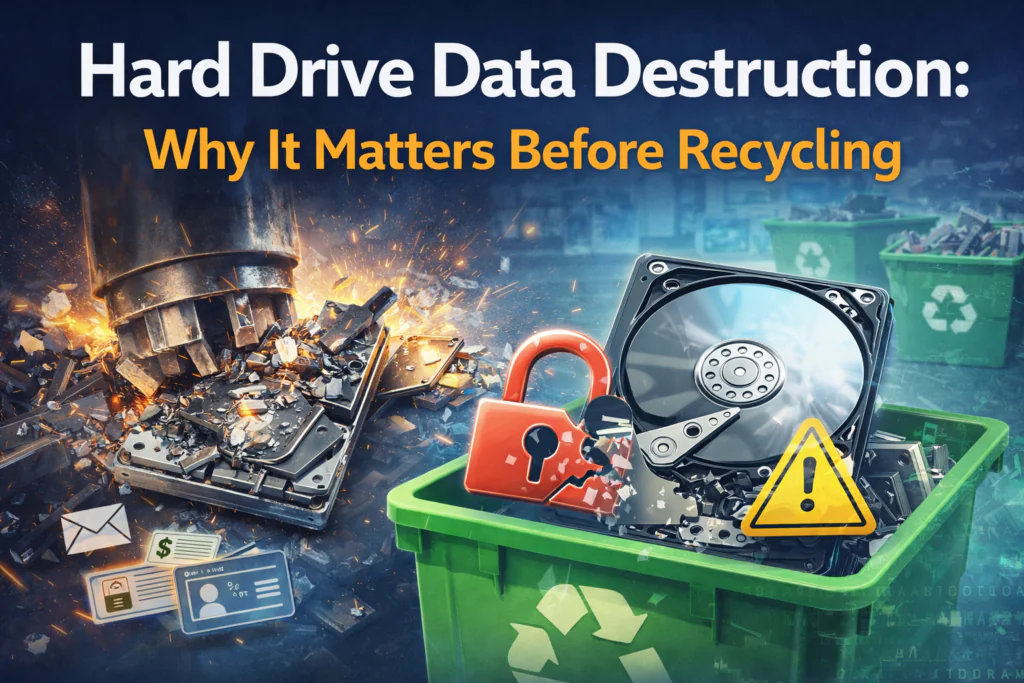
Every hard drive you have ever used stores a digital record of your life or business. Bank accounts, passwords, tax returns, personal photos, business documents, and countless other pieces of sensitive information sit on storage devices long after you think they have been deleted. When the time comes to recycle old computers or external drives, proper data destruction is not optional. It is essential.
This guide explains why hard drive data destruction matters, what happens when data is not properly destroyed, and how Dallas residents and businesses can protect themselves before recycling electronics.
Understanding How Hard Drives Store Data
To understand why data destruction is necessary, you need to know how hard drives work and why simply deleting files does not remove them.
How Data Persists on Hard Drives
When you save a file to your hard drive, the computer writes that information to specific physical locations on the disk. When you delete a file, the computer does not actually erase the data. Instead, it marks that space as available for new information and removes the file from your view.
The original data remains on the drive until new information overwrites it. This can take weeks, months, or years depending on how you use the computer. Even reformatting a drive or performing a factory reset typically leaves data recoverable with the right tools.
Think of it like a library. Deleting a file is like removing a book from the catalog system. The book still sits on the shelf where anyone can find it if they look. The book only disappears when a new book takes its place on that exact shelf.
Data Recovery Technology
Data recovery software can scan hard drives and reconstruct deleted files. These tools are widely available and easy to use. Someone who obtains your old hard drive can recover:
- Documents and spreadsheets
- Downloaded files and email attachments
- Web browsing history and saved passwords
- Photos and videos
- Tax returns and financial records
- Medical documents and personal correspondence
Professional data recovery services can even retrieve data from damaged or partially destroyed drives. This technology serves legitimate purposes like recovering files after accidental deletion. However, it also means your data remains vulnerable until the drive is properly destroyed.
The Real Risks of Improper Data Disposal
Understanding abstract risks is one thing. Seeing concrete examples helps illustrate why hard drive data destruction matters in practical terms.
Identity Theft and Financial Fraud
Your hard drive likely contains everything a criminal needs to steal your identity. Social Security numbers, birth dates, account numbers, passwords, and security question answers all provide tools for fraud.
Identity thieves can open credit accounts in your name, file fraudulent tax returns, access your bank accounts, or make major purchases using your information. Victims spend months or years resolving identity theft issues, facing damaged credit scores and financial losses.
For Dallas residents, local identity theft rates mirror national trends, with thousands of cases reported annually. Many of these cases trace back to improperly disposed electronics.
Business Data Breaches
Texas businesses face even greater risks from improper hard drive disposal. A single computer from a medical office, law firm, accounting practice, or retail store can contain thousands of customer records.
When this information falls into the wrong hands, businesses face:
- Lawsuits from affected customers
- Regulatory fines under state and federal privacy laws
- Loss of professional licenses or certifications
- Mandatory breach notifications that damage reputation
- Costs for credit monitoring and identity theft protection for customers
- Lost business from reputation damage
The average cost of a small business data breach exceeds tens of thousands of dollars. Large breaches cost millions. These expenses dwarf the cost of proper data destruction.
Competitive Intelligence Loss
Business hard drives contain trade secrets, customer lists, pricing strategies, product development plans, and proprietary processes. Competitors gaining access to this information puts your business at a significant disadvantage.
Even after companies close or merge, protecting business data remains important. Former employees, business partners, or competitors might seek access to historical information for various purposes.
Personal Privacy Violations
Beyond financial risks, hard drives contain deeply personal information. Private photos, personal correspondence, medical information, and relationship details all deserve protection. Having this information exposed or shared publicly causes emotional distress and privacy violations that cannot be easily resolved.
Why Common Data Deletion Methods Fail
Many people believe they have adequately protected their data using standard deletion methods. Unfortunately, most common approaches provide minimal security.
Deleting Files and Emptying Recycle Bin
As explained earlier, this method only removes files from view. The data remains on the drive, easily recoverable with basic software tools. This approach provides essentially no protection.
Reformatting the Hard Drive
Reformatting creates a new file system on the drive but typically does not overwrite existing data. Quick format options specifically leave data intact. Even full format operations may leave significant data recoverable.
Factory Reset
Factory resets on computers, phones, and tablets restore default settings but often fail to overwrite all data. These processes primarily remove user accounts and settings while leaving underlying files accessible through recovery methods.
Software Wiping Programs
Software programs that overwrite data multiple times provide better protection than simple deletion. However, these methods require technical knowledge to implement correctly. Users must ensure the entire drive is wiped, not just visible partitions. Failed or incomplete wipes still leave data exposed.
Additionally, software wiping does not work on damaged or failing hard drives. If a drive cannot boot or function properly, software solutions become ineffective.
Physical Damage Attempts
Some people attempt to destroy hard drives themselves by drilling holes, smashing them with hammers, or other physical damage methods. These approaches are dangerous and often ineffective.
Hard drives use multiple platters to store data. Drilling one hole typically leaves most of the drive intact. Even severely damaged drives can yield recoverable data with professional forensic tools. Meanwhile, attempting physical destruction risks injury from sharp metal fragments, toxic dust, or shattering components.
Professional Hard Drive Destruction Methods
Professional data destruction services use methods that completely eliminate data recovery risks.
Industrial Shredding
Industrial hard drive shredders crush and shred drives into pieces measuring a fraction of an inch. These machines apply thousands of pounds of pressure, destroying platters, circuits, and all components into tiny fragments.
After shredding, data reconstruction becomes physically impossible. No recovery technique can reassemble information from pieces this small. Industrial shredding provides the highest level of security for data destruction.
Degaussing
Degaussing exposes hard drives to powerful magnetic fields that disrupt the magnetic patterns storing data. This process renders data unrecoverable and destroys the drive’s ability to function.
Degaussing works well for traditional magnetic hard drives but is less effective for solid-state drives, which store data differently. Professional services understand which methods work for different storage device types.
Crushing and Punching
Industrial crushers and punches physically deform hard drives, destroying platters and components. While not as thorough as shredding, these methods provide good security when performed properly with industrial equipment.
Certification and Documentation
Professional hard drive destruction includes certification that verifies the process and provides legal documentation.
Certificates of Destruction
After destroying your hard drives, professional services issue certificates of destruction. These documents include:
- Description of destroyed items with serial numbers when available
- Date and method of destruction
- Chain of custody information
- Company certifications and credentials
For businesses, certificates of destruction provide legal evidence of compliance with data protection regulations. These documents demonstrate due diligence in protecting customer and business information.
Compliance Requirements for Dallas Businesses
Texas businesses must comply with various data protection laws depending on their industry. Healthcare providers follow HIPAA requirements. Financial institutions must meet federal banking regulations. All businesses handling customer data face obligations under state privacy laws.
Proper hard drive destruction with certification helps businesses meet these requirements. During audits or investigations, certificates prove the business took appropriate steps to protect sensitive information.
Hard Drive Destruction for Home Users
Individual Dallas residents also benefit significantly from professional hard drive destruction.
Protecting Personal Information
Home computers store years of personal data. Even if you do not keep financial records on your computer, web browsing history, saved passwords, and personal communications all deserve protection.
Professional destruction ensures your personal information cannot be recovered and misused after you recycle your computer.
Preparing for Computer Upgrades
When upgrading to a new computer, proper disposal of the old one requires data destruction. Many people donate or sell old computers, which creates data exposure risks if hard drives are not wiped properly first.
Professional destruction before donation or sale protects you while still allowing the computer hardware to be reused or recycled.
Handling Multiple Old Devices
Many Dallas households accumulate multiple old computers, external hard drives, and other storage devices over years. Rather than worrying about handling data removal yourself for each device, professional services destroy all storage media at once.
Environmental Responsibility and Data Destruction
Proper hard drive destruction supports environmental responsibility when combined with certified electronics recycling.
After hard drives are destroyed, the materials can still be recycled. Shredded drives contain valuable metals including aluminum, steel, copper, and small amounts of precious metals. These materials are recovered and reused in manufacturing.
The key is ensuring data destruction and environmental recycling work together. Simply throwing drives away wastes materials and pollutes the environment. Professional services handle both aspects properly.
Complete PC World integrates secure hard drive shredding with certified electronics recycling. Your hard drives are destroyed to protect your data, and the materials are recycled to protect the environment.
The Process: What to Expect
Understanding what happens during professional hard drive destruction helps you feel confident about the process.
Collection
Professional services collect hard drives from your location. Free pickup eliminates the need to transport drives yourself and provides convenience for both homes and businesses.
Secure Chain of Custody
From pickup to destruction, your hard drives remain in secure custody. Professional services track all items and maintain security protocols that prevent unauthorized access.
Destruction
Hard drives undergo industrial shredding or other destruction methods that completely eliminate data. The process is thorough and verified.
Certification
You receive certificates documenting the destruction of your hard drives. These certificates provide peace of mind and legal documentation of proper data handling.
Material Recycling
Destroyed drive materials are processed for recycling, recovering metals and other materials for reuse.
Cost Considerations
Many Dallas residents and businesses hesitate to use professional data destruction services due to cost concerns. However, professional services often provide better value than alternatives.
Free pickup services like those offered by Complete PC World eliminate service fees while still providing industrial-grade data destruction and certification. When you consider the time and risk involved in attempting data destruction yourself, professional services become clearly cost-effective.
For businesses, the cost of data destruction is minimal compared to potential breach costs, regulatory fines, and reputation damage from improper disposal.
Take Control of Your Data Security Today
Hard drive data destruction is not something to handle casually or postpone. Every old hard drive in your home or office represents a potential security risk. The longer these devices sit around, the greater the chance they will be disposed of improperly or fall into the wrong hands.
Complete PC World makes hard drive data destruction simple and secure for Dallas–Fort Worth residents and businesses. Our free pickup service covers the entire metroplex, and our industrial shredding equipment ensures complete data destruction. You receive certificates of destruction for your records, and all materials are recycled responsibly.
Whether you have a single old computer or an office full of retired equipment, contact us today to schedule your free pickup. Protect your data, meet your compliance obligations, and recycle responsibly. Your sensitive information deserves the security that only professional hard drive destruction can provide.

4 Responses
Yes data destruction is complicated process.